01
Open Settings
From the game lobby, tap More, then tap Settings.
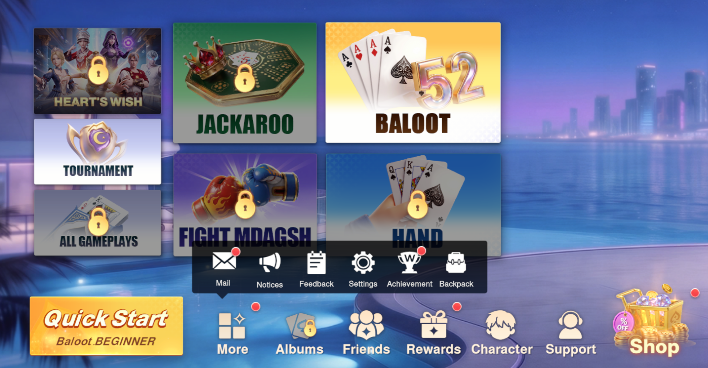
How to request deletion of your Baloot Go account and associated data.
To request deletion of your Baloot Go account and associated data without opening the game, email our support team at wlgame03@weile.com. You can use this method even if you have uninstalled the game or cannot sign in.
Email a deletion request ↗Opens your email app with a draft. Review and send the email to submit your request. If no email app opens, email wlgame03@weile.com directly with the subject “Baloot Go - Account Deletion Request”.
Include your player UID, in-game nickname, and linked email address or sign-in method, if available. If you cannot find these details, explain this in your email so support can help you identify the account.
Support will reply with the verification steps needed to confirm that the account belongs to you. A player UID alone is not proof of ownership. Do not send passwords or one-time verification codes by email.
After ownership has been verified, support will arrange processing of your deletion request. Sending an email does not immediately delete the account. See Processing & cancellation for processing information.
In-app deletion path: Lobby → More → Settings → Privacy → Delete.
Follow the steps below to submit an account deletion request inside the app. For help with this process, contact wlgame03@weile.com.
From the game lobby, tap More, then tap Settings.
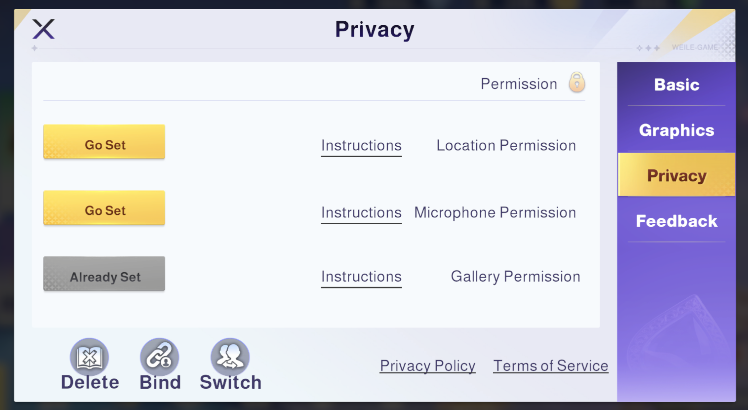
In Settings, select Privacy, then tap Delete at the bottom left.
Read the account deletion conditions. If you have read and met the conditions, select the checkbox and tap the continue button at the bottom of the screen.
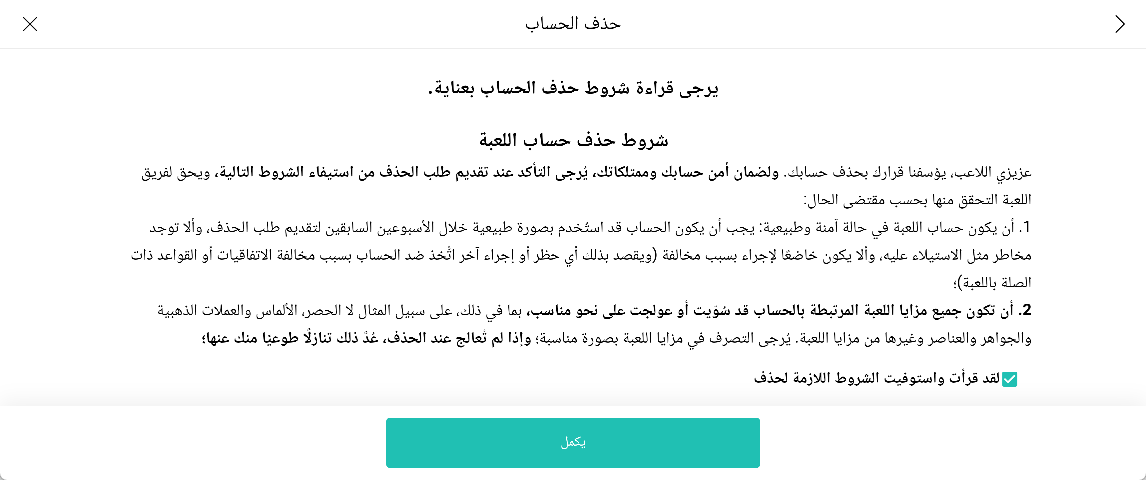
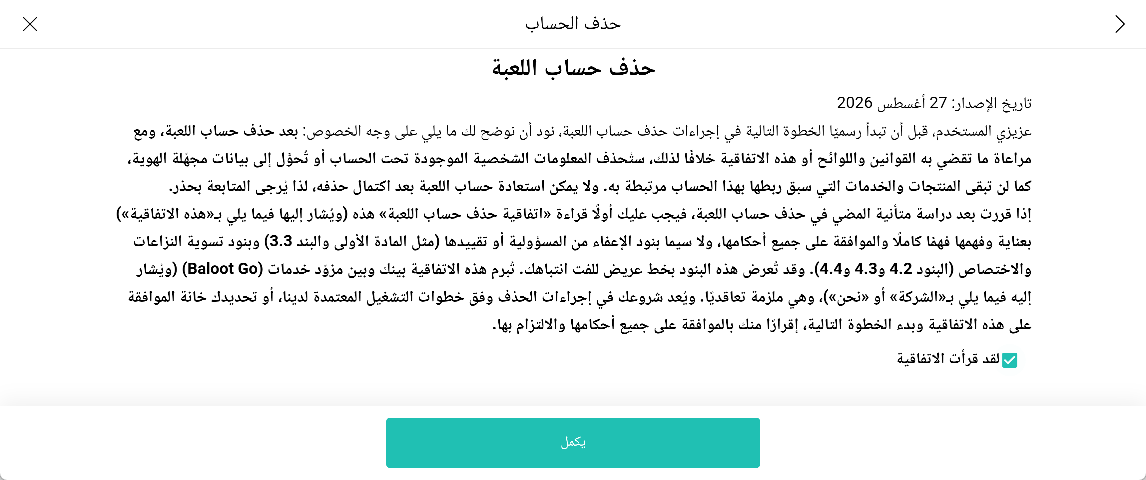
Read the deletion agreement, select the checkbox confirming that you have read it, then tap the continue button at the bottom of the screen.
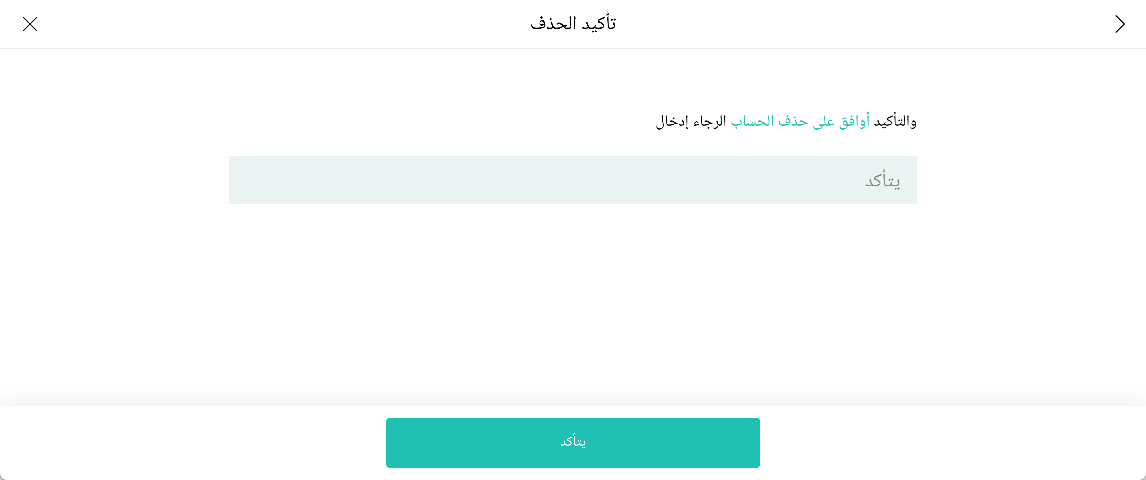
Enter the confirmation phrase shown on screen — أوافق على حذف الحساب (“I agree to delete the account”) — in the text field, then tap the confirmation button.
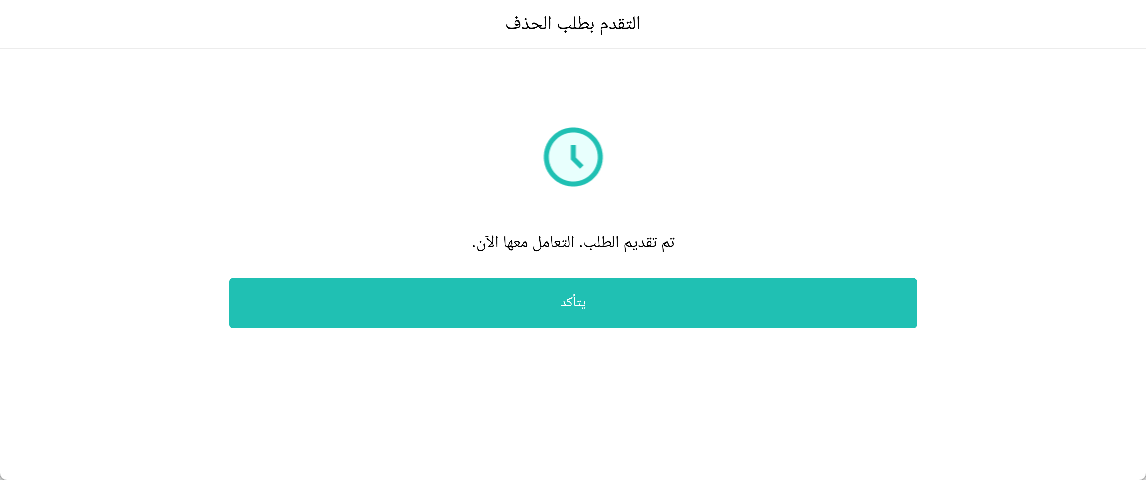
The app displays a message confirming that your request has been submitted and is being processed. Tap the confirmation button to acknowledge. This message confirms submission of the request, not completion of account deletion.
Once your deletion request has been verified and processed, we delete or permanently anonymize data associated with your account, except for any data retained for the reasons described in Data retention.
Your player ID and account records, nickname, avatar, profile information, and links to sign-in accounts.
Account-linked Baloot match history, results, gameplay statistics, and saved game progress.
Account-linked virtual currency balances, backpack items, collected rewards, and unlocked character or cosmetic content, where applicable. Purchase-related handling is described in Purchases & subscriptions.
Leaderboard entries, ranking information, and achievement records linked to your player account. Updates across game systems may take time to appear.
Your in-game friends list and social connections linked to the deleted account.
Login sessions, account preferences, and account-related support or feedback records, except for records covered by the stated retention rules.
Account deletion is permanent. Once deletion is completed, you will no longer be able to use the deleted account or recover its deleted profile, game progress, inventory, rewards, or social connections. Deleting the game from your device alone does not delete your account.
After account deletion, limited information may be retained where necessary for legal compliance, security, fraud prevention, or dispute handling. The categories below describe possible exceptions to deletion; only records needed for the stated purposes should be retained.
Transaction references, purchase verification records, and refund or payment dispute records needed for accounting, tax obligations, fraud prevention, or dispute resolution.
Relevant login and security logs, reports, and limited match or audit records needed to investigate account misuse, cheating, collusion in Baloot matches, or fraud.
Records necessary to comply with applicable legal obligations, respond to lawful requests, or establish, exercise, or defend legal claims, including relevant deletion-request records where required.
Account data may remain in temporary backups until those copies are deleted or overwritten through the backup cycle. Backup copies are not intended to restore normal access to a deleted account.
Retained records are used only for the purposes described above, with access restricted to authorized personnel. They are deleted or permanently anonymized when the applicable retention requirement ends. Retaining these records does not preserve your playable account, game progress, or access to account-linked benefits.
Once account deletion is completed, unused virtual currency, purchased items, rewards, and other game benefits linked to the deleted account will no longer be accessible or recoverable on that account. This includes account-linked character or cosmetic content and any time-limited benefits, where applicable.
Baloot Go does not offer subscriptions. There are no recurring subscription payments to cancel before deleting your account.
An account deletion request is not a refund request. Refund eligibility is assessed separately under the applicable purchase terms, platform policies, and law. For purchases made through Google Play, see the Google Play refund policy. This account deletion notice does not limit any refund rights you may have.
Limited transaction and purchase verification records may be retained for the purposes described in Data retention. Keeping these records does not restore access to the deleted account or its in-game benefits.
For questions about account-linked purchases before requesting deletion, contact wlgame03@weile.com.
Before submitting the final confirmation, you can leave the deletion flow using the back or close control shown in the app. This is different from withdrawing a request that has already been submitted.
If you have already submitted a request and want to withdraw it, contact wlgame03@weile.com promptly to ask whether withdrawal is still possible. Sending an email does not itself cancel or pause the deletion process. Availability depends on the confirmed cancellation rules and the processing status of your request.
Once deletion is completed, the deleted account and its deleted data cannot be restored. A submission acknowledgement should not be treated as a deletion-completion notice.
For help with your Baloot Go account or the in-app deletion process, contact our support team.